
Your Cart Is Our Priority
Explore our store to see what our products and resources can do for you.

Swapping the dash on your golf cart might look simple at first glance. It’s just a panel, right? But that dash does more than hold your cup holders and glove box. It's tied into how you access wiring, how accessories sit, and how you use the space day to day. A rushed or careless swap can lead to problems that are harder to fix later.
We see a lot of people get excited about upgrading their dash, especially when it comes to changing the look of their cart. And that’s great. But skipping the key steps or choosing the wrong fit can throw off more than just style. The good news is most dash swaps go smoothly if you know what trouble spots to watch for. Here's what to keep in mind when switching out your golf cart dash.
One of the first mistakes people make is jumping right in without turning the power off. Disconnecting the battery isn’t just a safety step. It protects your wiring, your switches, and you. We always recommend powering down before unbolting a single screw.
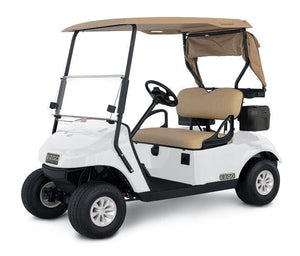
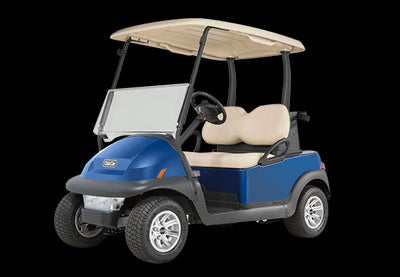
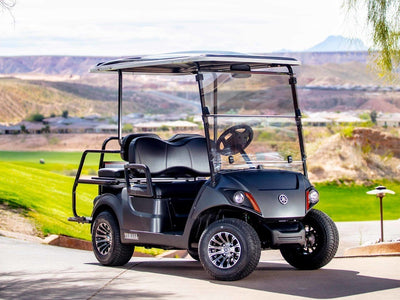
Another common one is tossing the instructions aside. Every dash is made a little different, and carts vary by make and model. What works on an EZGO might not work the same way on a Yamaha or Club Car. Checking compatibility before starting can save hours and headaches.
It also helps to take clear photos of your current dash before removing anything. Labeling wires and connections with tape takes just a few minutes but helps you get everything back in the right spot later. Once you remove wires, they all start looking similar, especially under low light.
A helpful detail is that dash kits made for EZGO, Club Car, and Yamaha models often come with pre-cut switch and cup holder slots for easier installation.
It’s easy to choose a dash based on how it looks. But if you're using your cart to haul gear at a campground or run errands around your neighborhood, storage might be more useful than a sleek style. Make sure the layout gives you what you need.
We've seen swaps where the new dash blocks switches, USB ports, or even cup holders. That can get annoying fast. If your dash makes it harder to access things you use every time you drive, it’s not a good upgrade.
Think about the extras too. Do you need a locking glove box for your keys or wallet? Want built-in spots for aftermarket gauges or speaker cutouts? Pick a dash that lines up with your plans, not just your color scheme.
No two carts wear the same over time, and not all aftermarket parts treat every model the same. If your new dash doesn’t line up properly, don’t force it. Drilling new holes or bending corners might give you a quick win, but it can lead to issues later.
A snug, even fit matters more than it might seem. When you tighten one side more than the other, the dash can rattle on trails or slide out of position. Misaligned hardware often causes stress cracks along the edges over time.
It’s better to stop and re-check the dash’s alignment than to force something that doesn’t quite match up. A slow, careful install often means less fixing down the road.
Dash panels with reinforced mounting tabs, like several found at Golf Cart Stuff, help reduce rattles and keep everything locked in place.
More drivers are adding tech upgrades to their carts. From USB chargers to sound systems, accessory wiring needs space behind the dash. Cramming wires into a small gap makes future upgrades harder and can cause airflow problems around electronics.
Sometimes during a rush install, people tuck cords wherever they can, not thinking about vibration or heat. That can lead to pinched wires or broken connections weeks later.
If you're planning to add something next season—speakers, battery meters, a light switch—leave room now. It’s easier to adjust spacing during the dash install than to rip it off and start again.
Once the dash is in, the job’s not over. We always recommend doing a full function test before closing up shop. Turn on your lights. Test the ignition. Try every switch. Light flickering or weak throttle signals could mean a connection came loose during install.
It helps to run wires gently with the key turned on so you can spot issues before reassembling everything. Small wobbles or dead zones are easier to fix before everything's screwed back into place.
Once that’s done, take your cart for a short drive. Find a bump, take a turn, hit the brakes. See how the dash holds up under real use. Any new noise, rattle, or panel shift is easier to catch on day one than weeks later.
Planning doesn’t mean overthinking. It just means picking the right dash the first time, checking the basics before you pull parts, and giving yourself a little time to do it right. That one extra photo or wire label can mean the difference between a clean-looking dash and one that doesn’t sit right.
Think about how you use your cart every week. Are you out riding trails every weekend, or using it to cruise campgrounds with the family? Knowing your habits will help you pick features you’ll actually use. That way, your new dash won’t just look good—it’ll work well too.
When done right, a golf cart dash upgrade can make your cart feel more finished and easier to use. Start your upgrade with a plan that fits what you do, and the results will follow naturally. A smoother install now means a smoother ride every time you head out.
Planning your next upgrade around how you actually use your cart makes all the difference, and our selection ofgolf cart dash options offers something for just about every setup. At GOLFCARTSTUFF.COM™, we carry dash styles that work well whether you're cruising through the campground, parked at the trailhead, or rolling down the block.
Explore our store to see what our products and resources can do for you.

Leave a comment