

Your Cart Is Our Priority
Explore our store to see what our products and resources can do for you.

TL;DR:
- Golf cart service software centralizes work orders, parts inventory, scheduling, and telematics to improve shop efficiency. It helps techs close more tickets, reduces errors, and increases revenue through preventive maintenance and automated processes. Proper data setup and targeted feature implementation are essential for maximizing ROI and smooth system adoption.
Golf cart service software is a shop management platform that centralizes work orders, parts inventory, scheduling, invoicing, and telematics so dealers and service shops run faster with fewer manual errors. The direct result: techs close more tickets per day, parts stay in stock, and revenue that used to slip through the cracks gets captured automatically.
Quick wins you can expect:
QuantumRepair and Golf One are two U.S.-facing examples that illustrate what a purpose-built platform looks like. Golfcartstuff publishes this guide to help dealers and service shops evaluate, implement, and get the most out of these tools alongside a well-stocked parts catalog.
At its core, the software replaces the stack of spreadsheets, paper tickets, and phone follow-ups that slow most shops down. Each module maps to a specific operational problem.

Feature-to-benefit mapping:
| Feature | Direct business benefit |
|---|---|
| Work orders & ticketing | Single source of truth for every job; no lost paper tickets |
| Mobile technician app | Techs update jobs from the bay; no double-entry at the desk |
| Parts inventory with bin locations | Faster picks, fewer “where is it?” delays |
| Reorder alerts | Prevents stockouts on high-turn parts |
| Appointment scheduling | Reduces phone tag; customers book online |
| Invoicing & payments | Faster close; integrated receipts reduce billing disputes |
| CRM & repair history | Surfaces upsell opportunities; improves customer retention |
| Telematics & access control | Links cart ID, rider, fee, and timestamp automatically |
| Reporting & dashboards | Shows utilization, revenue per cart, and tech productivity |
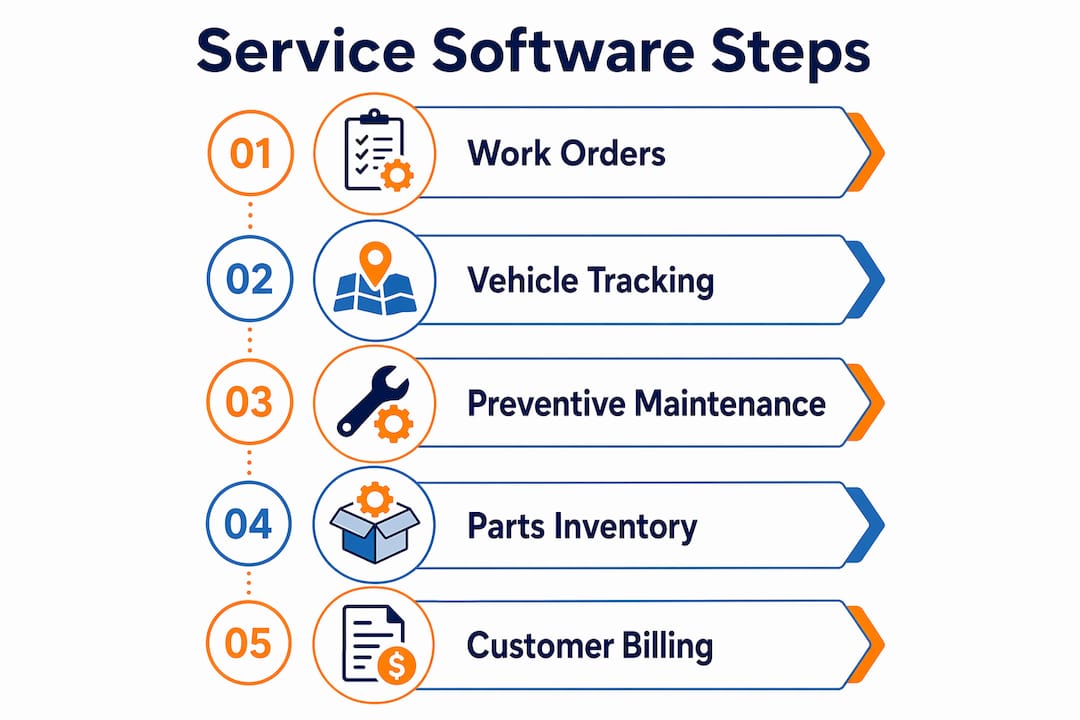
A dealer management system built for golf carts also tracks vehicle serial numbers and service history through cloud access, which matters when a customer disputes warranty coverage or asks about resale value.
Not every feature deserves equal attention during a pilot. The ones below have the clearest impact on tech productivity, parts margin, and customer experience.
Pro Tip: When scoping a pilot, pick five features that solve your biggest current pain point. Shops that try to activate every module on day one typically stall. A minimum viable rollout, ticketing, inventory, and invoicing, gets staff comfortable before adding telematics or CRM.
The shift from reactive to preventive maintenance is where most of the financial return lives. Platforms like EZCartCare are built around this premise: smart maintenance reminders that fire based on usage patterns and seasonal needs, not just a calendar date, prevent the kind of deferred-maintenance failures that turn a $50 battery watering job into an $800 replacement.
Golf One’s digital access control adds a different revenue layer. By tying paid unlocks to cart IDs and timestamps, it exposes missed-fee leakage that most manual operations never even measure.
ROI metrics to track for a mid-size shop:
| Metric | What to measure | Why it matters |
|---|---|---|
| Tech hours saved | Tickets closed per tech per day | Direct labor efficiency gain |
| Part-upgrade revenue | Upsell rate per ticket | AI diagnostics and repair history drive this |
| Reduced downtime | Average days cart is out of service | Preventive scheduling cuts emergency repairs |
| Missed-fee recovery | Unlock events vs. fees collected | Digital access control closes this gap |
Joyride’s fleet automation approach, combining IoT GPS tracking with AI-driven analytics, shows how rental and fleet operators are capturing revenue that previously required a staff member standing at a kiosk.
Most platforms fall into several pricing shapes such as per-shop subscription, per-cart or per-seat, per-transaction or per-booking fee, and all-inclusive bundles. The right model depends entirely on your volume.
Common pricing models:
Real cost drivers to budget for:
Use this scorecard to compare platforms without getting lost in feature demos.
Vendor scorecard:
| Evaluation axis | What to look for |
|---|---|
| Integration fit | QuickBooks sync, POS compatibility, telematics hardware support |
| Total cost of ownership | All-in monthly cost including transaction fees and hardware |
| Implementation difficulty | CSV import tools, migration support, onboarding timeline |
| Uptime and support | Published SLA, live support hours, response time |
| Roadmap and product focus | Golf-cart-specific vs. generic repair software |
Questions to ask every vendor:
Red flags:
Pilot checklist:
Step-by-step rollout:
Timeline by phase:
| Phase | Typical duration | Key milestone |
|---|---|---|
| Pilot | a couple of weeks | several real jobs completed in the system |
| Migration | 1–2 weeks | Full parts and customer catalog imported |
| Training | 1 week | Lead tech signs off on mobile app workflow |
| Staggered go-live | 1–2 weeks | All techs on the system; paper tickets retired |
Success metrics for the first 60–90 days:
Integration map:
| System | Data exchanged | Priority |
|---|---|---|
| QuickBooks | Invoices, customer records, payments | High |
| POS | Payments, receipts, walk-in transactions | High |
| Telematics / IoT | GPS location, battery telemetry, unlock events | High for rental/fleet |
| E-commerce / parts catalog | SKUs, pricing, stock levels | Medium |
Fireline’s platform, for example, syncs work orders and PM schedules directly with QuickBooks billing, which eliminates the dual-entry problem that costs shops hours every week.
Data-prep checklist before migration:
Security best practices:
Small errors compound fast. A missing bin location creates a double-entry workaround. That workaround becomes the default. Six months later, your inventory data is unreliable and you are back to spreadsheets for the parts you care about most.
Golfcartstuff’s own installation and component guides give dealers a practical reference for syncing software inventory fields with physical parts, particularly for controllers, batteries, and mechanical components.
Golf cart service software is a shop and fleet management platform that replaces paper tickets, spreadsheets, and disconnected tools with a single system covering work orders, parts inventory, scheduling, invoicing, CRM, and telematics. It is purpose-built for the operational reality of golf cart dealers and service shops: mixed fleets of EZGO, Club Car, and Yamaha units, seasonal demand spikes, and customers who expect real-time status updates. The software category spans simple maintenance trackers like EZCartCare all the way to full IoT-connected fleet platforms like Joyride, with dealer management systems like QuantumRepair sitting in the middle.
Golf cart service software pays off fastest when shops prioritize preventive maintenance scheduling, bin-location accuracy, and a clean CSV migration before go-live.
| Point | Details |
|---|---|
| Centralize work orders first | Digital ticketing eliminates lost paper jobs and gives techs a single source of truth. |
| Map bin locations before import | Skipping this step creates pick errors that undermine inventory accuracy from day one. |
| Model pricing by volume | Per-transaction fees can exceed flat subscriptions at high rental volumes; run the annual math. |
| Pilot with real jobs | Several live tickets in the system reveals integration gaps no demo will show you. |
| Golfcartstuff parts catalog | Golfcartstuff’s Club Car, Yamaha, and EZGO parts map directly to software inventory fields for faster SKU setup. |
There is a version of this conversation where a dealer buys software, gets excited about the dashboard, and then discovers their parts data is a mess. Serial numbers missing. Bin locations blank. Pricing inconsistent across models. The software did not create those problems, but it makes them impossible to ignore.
The shops that get the most out of fleet management tools are the ones that treat the software rollout as an inventory audit. They clean the data first. They map the bins. They reconcile what is physically on the shelf against what the system says. That process, uncomfortable as it is, typically surfaces $3,000–$8,000 in untracked parts value that was sitting in the shop unaccounted for.
The other thing most articles miss: software does not replace the judgment call a good tech makes when a cart comes in with a symptom that does not match the service history. AI diagnostics help, but they surface options, not answers. The best use of these tools is to reduce the administrative load so that judgment call gets the tech’s full attention instead of half of it.
When your service software is ready to go live, the parts catalog it pulls from matters as much as the platform itself. Golfcartstuff stocks Club Car DS parts, Yamaha G1–G22 parts, and mechanical replacement parts that map directly to the inventory fields your software will track: SKU, description, bin location, and reorder threshold.
Dealers running a software migration can use Golfcartstuff’s catalog to pre-populate inventory fields for the most common EZGO, Club Car, and Yamaha service items, cutting setup time and giving techs accurate parts data from the first job. Browse the full parts catalog at Golfcartstuff.com and match your software SKUs to physical stock before go-live.
Explore our store to see what our products and resources can do for you.

Leave a comment