

Your Cart Is Our Priority
Explore our store to see what our products and resources can do for you.

TL;DR:
- Most golf cart speed issues are caused by simple, preventable factors like loose connections and corrosion.
- Proper diagnosis involves checking battery voltage, inspecting terminals, and ensuring mechanical parts are free of drag.
- Regular maintenance and careful troubleshooting can save money and extend the lifespan of your golf cart.
Nothing kills a smooth round or a relaxing neighborhood cruise faster than a golf cart that suddenly crawls. One moment you’re cruising at full speed, and the next you’re barely moving. If you’re dealing with sluggish performance, you’re far from alone. Speed issues are one of the most common complaints among golf cart owners, and the good news is that most causes are completely fixable without a trip to the shop. This guide walks you through diagnosing, fixing, and preventing speed problems step by step.
| Point | Details |
|---|---|
| Check connections first | Loose or corroded battery cables are the most common cause of sudden speed loss. |
| Voltage compatibility matters | Ensuring your battery pack matches your motor is critical for restoring and maintaining speed. |
| Proper battery break-in | Even new batteries can hurt performance if not charged and used according to recommendations. |
| Prevention and routine care | Regular inspections and battery maintenance help prevent recurring speed issues. |
Before you start swapping parts or spending money, you need to know what you’re actually dealing with. A structured approach saves time and frustration. Most owners skip this step and end up chasing the wrong problem.
Start with a visual inspection. Walk around the cart and look for anything obviously wrong. Check for:
These issues are easy to miss but shockingly common. A single corroded terminal can rob your cart of significant speed and power. If you noticed the problem right after replacing your batteries, pay extra attention to the connections at each battery post. Speed issues can stem from incorrect voltage, loose connections, improper battery break-in, or mechanical drag.
Once the visual check is done, grab a voltmeter. A fully charged 48V battery pack should read around 50 to 52 volts. A 36V pack should sit around 38 to 39 volts. Readings significantly below these numbers point to a battery or charging issue. Understanding battery voltage setup helps you know exactly what numbers to expect for your specific cart.
Here’s a quick reference table to guide your diagnosis:
| Possible Cause | Symptoms | Diagnostic Step |
|---|---|---|
| Low battery voltage | Sluggish acceleration, slow top speed | Check voltage with a voltmeter |
| Loose connections | Intermittent speed loss, stuttering | Inspect and tighten all cable terminals |
| Incorrect voltage match | Cart won’t reach normal speed | Verify battery pack matches cart spec |
| Mechanical drag | Constant slow speed, motor strain | Check brakes, tires, and axle for resistance |
| Controller issue | Unpredictable speed fluctuations | Test controller with diagnostic tool |
| Motor wear | Gradual loss of power over time | Review motor troubleshooting steps |
Pro Tip: Write down every symptom you notice, including when the speed problem occurs, whether it happens at startup or under load, and whether it’s consistent or intermittent. This list makes it far easier to fix the problem yourself or communicate the issue to a technician.
Once you know what to look for, having the right tools makes the troubleshooting process more efficient and safer. Trying to diagnose a speed problem without proper equipment is like trying to cook a meal without measuring ingredients. You might get lucky, but you’ll probably make a mess.
Here’s your core checklist before you start any hands-on work:
Speed problems can be due to incorrect voltage match or loose connections, which makes the voltmeter and wrench set your two most important tools. Without accurate voltage readings, you’re guessing. Without proper tightening, you’re leaving the most common problem unsolved.
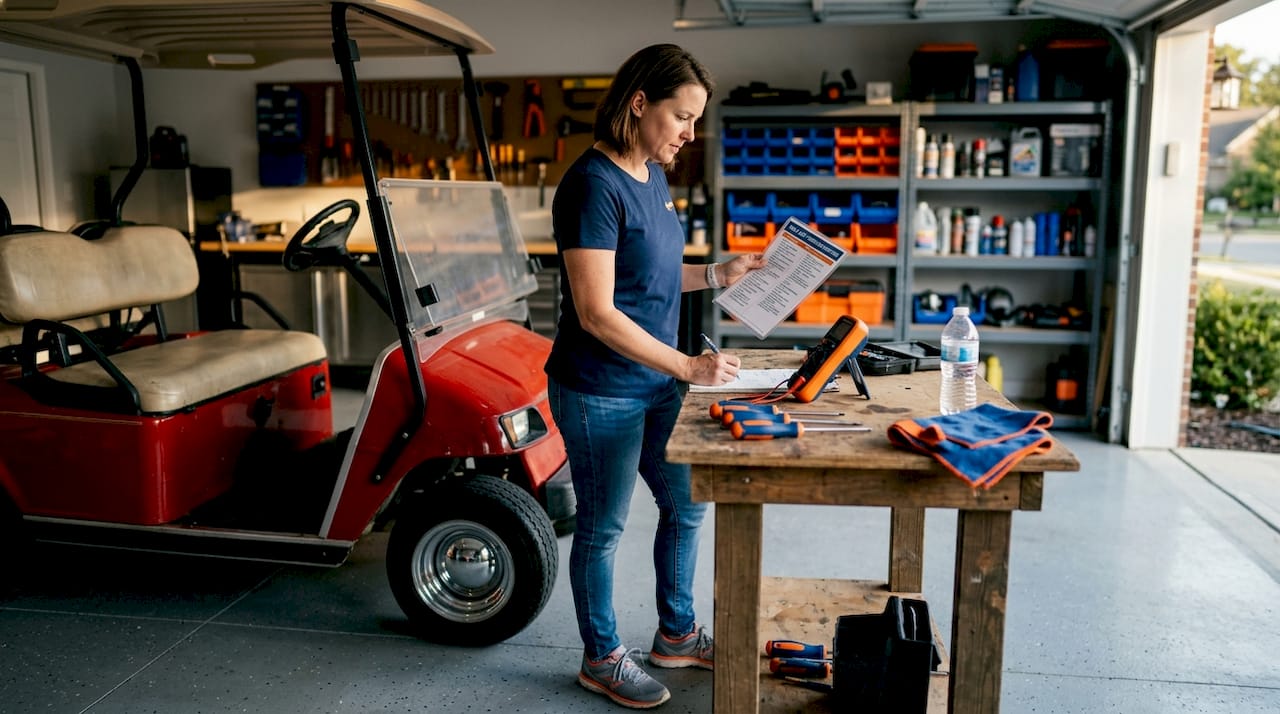
Here’s a more detailed breakdown of each tool and its role:
| Tool | Purpose | What it Helps Diagnose |
|---|---|---|
| Digital voltmeter | Measure battery pack and individual cell voltage | Low charge, bad cells, wrong voltage match |
| Wrench set | Tighten terminals and cable connections | Loose connections causing power loss |
| Insulated gloves | Personal safety | Prevents shock during live circuit work |
| Safety glasses | Eye protection | Guards against battery acid splash |
| Terminal brush | Remove corrosion | Identifies and resolves corroded connections |
| Baking soda mix | Neutralize battery acid | Safe cleaning of terminal buildup |
Understanding golf cart voltage is critical here because working with the wrong assumptions about your system can lead you straight to the wrong fix. Always confirm your cart’s voltage spec before you start measuring.
Pro Tip: Keep a dedicated battery maintenance kit in your cart storage area. A terminal brush, a small container of baking soda, and a spray bottle of water cost almost nothing but can solve or prevent some of the most common speed problems before they get worse. Pair that with regular battery care tips and you’ll stay ahead of most issues.
Now that you have everything in place, let’s walk through the exact process to resolve your speed issue. Follow these steps in order rather than jumping around. Each step builds on the one before it.
Check your battery voltage first. Set your voltmeter to DC voltage. Connect the red probe to the positive terminal and the black probe to the negative terminal of your battery pack. Record the reading. If it’s more than 10 to 15 percent below the rated voltage, your batteries need charging or replacement.
Inspect and clean every terminal connection. Loosen each cable from its terminal, inspect for corrosion, and use your terminal brush with baking soda solution to clean any buildup. Dry thoroughly before reconnecting.
Tighten every connection firmly. A connection that looks attached might not be making full contact. Loose connections are responsible for a huge share of speed problems. Tighten until there’s zero movement, but avoid over-tightening and cracking the terminal posts.
Verify your voltage system match. Confirm that your battery pack voltage matches what your motor and controller require. A 48V motor running on a mismatched pack will underperform no matter how good the batteries are. Check your golf cart voltage performance specs in your owner’s manual or on the controller label.
Break in new batteries properly. If your batteries are new, speed issues may persist due to improper break-in or loose connections. New flooded lead-acid batteries need several charge and discharge cycles before they reach full capacity. Run the cart normally until the battery indicator shows low, then charge fully. Repeat this five to ten times.
Check for mechanical drag. Put the cart in neutral and try spinning the rear wheels by hand. If there’s significant resistance, your brakes may be dragging or the axle may have an issue. Adjust or release the parking brake and test again.
Test the controller and solenoid. If voltage and connections check out but the cart still underperforms, the controller may be limiting output. Listen for the solenoid clicking when you press the accelerator. No click often means a solenoid issue. Explore golf cart performance mods if your controller is aged and underperforming for your needs.
Common mistakes to avoid:
Pro Tip: Every time you install new batteries, go back and re-tighten all terminal connections after the first five charge cycles. New cables and terminals settle under current load and can loosen slightly, which costs you speed and efficiency right when you expect peak performance.
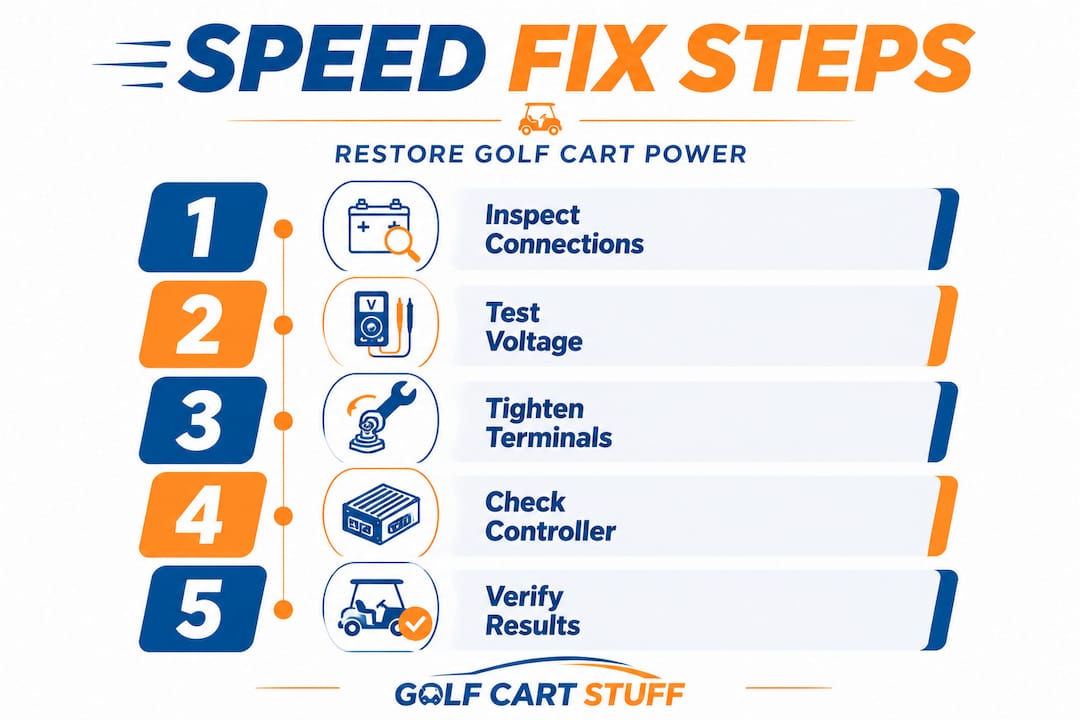
After resolving the immediate problem, it’s important to verify your fix and take steps to maintain reliable performance moving forward. A repair isn’t done until you’ve confirmed the cart behaves as expected under real conditions.
Simple tests to confirm your repair worked:
“Even new batteries can cause issues if not broken in correctly. Patience through those first several charge cycles pays off in consistent, reliable speed for months and years afterward.”
Improper battery break-in and mechanical drag can cause ongoing speed loss even after you think the problem is resolved, so don’t skip the confirmation testing phase.
Habits to build for long-term speed reliability:
Exploring golf cart upgrade ideas can also help you identify components worth upgrading as your cart ages. A high-output charger or upgraded motor controller can dramatically improve consistency and extend the life of your batteries.
Pro Tip: Keep a simple logbook in the cart’s storage compartment. Note the date of each charge, any speed changes you notice, and any maintenance you perform. Over time, this log will show you patterns and help you catch small problems before they become expensive repairs.
Here’s the honest truth that most people don’t hear until they’ve already paid a technician: the vast majority of golf cart speed problems are caused by the most boring, preventable factors imaginable. Loose connections. Corroded terminals. Skipped break-in cycles. Dragging brakes.
We see this constantly. An owner panics because their cart suddenly lost 30 percent of its speed. They assume the motor is blown or the controller is fried. They brace for a major repair bill. Then someone checks the terminals and finds one cable barely making contact. A five-minute fix with a wrench solves a problem that had been building for weeks.
The fear of a major repair actually makes things worse. When owners assume the worst, they avoid diagnosing the cart themselves. They let the problem sit. Meanwhile, a loose connection arcs slightly every time the cart runs, slowly damaging the terminal post until it becomes the expensive problem they feared from the start.
The real value of learning basic troubleshooting is not just saving money on a single repair. It’s breaking the cycle where small problems become big ones because they went unaddressed. Knowing how to read voltage, recognize corrosion, and test for mechanical drag gives you an entirely different relationship with your cart.
You also stop getting surprised. An owner who checks connections every month doesn’t wake up one day to a dead cart. They catch the slight loosening before it causes a problem. They clean the small corrosion before it blocks current flow. Prevention takes ten minutes every few weeks. Repairs take hours and cost real money.
Adding thoughtful upgrades through resources like best golf cart add-ons can also change how your cart performs and how long components last. Better accessories often mean less maintenance burden over time, not more.
The bottom line: trust yourself. These systems are not complicated. A battery, a controller, a motor, and a series of connections. If you approach it methodically, you will find the problem almost every time.
With your speed issues resolved, you might be ready to upgrade or get reliable replacement parts to maintain peak performance going forward.
At Golf Cart Stuff, we stock everything you need to keep your cart running fast and reliably. Whether you need replacement batteries, terminal hardware, or full upgrade kits, our catalog covers most major makes and models. Browse our full range of golf cart accessories for maintenance supplies and performance upgrades. If you drive a Club Car, check out our Club Car DS parts section for model-specific components. Yamaha owners can find everything they need in our Yamaha G1-G22 parts collection. Fast shipping, knowledgeable support, and parts that actually fit your cart.
Start by inspecting for loose battery connections and ensuring battery voltage matches your cart’s requirements. Speed problems can be caused by incorrect voltage match or loose connections, and these are the quickest to check and fix.
Yes, even new batteries may cause speed loss if not broken in properly or if there are connection issues. Speed issues can stem from incorrect voltage match, loose connections, improper break-in, or mechanical drag, regardless of how new the batteries are.
Follow proper battery care routines, check connections regularly, and address mechanical drag as soon as it appears. Improper battery break-in and mechanical drag can cause ongoing speed loss that snowballs into larger, more expensive issues over time.
A voltmeter, wrench set, insulated gloves, and safety glasses are the core tools needed for accurate speed diagnostics. Speed problems can be due to incorrect voltage match or loose connections, making the voltmeter and wrench your two most important starting points.
Explore our store to see what our products and resources can do for you.

Leave a comment